
Playing
Up for padel, a run or some beach volleyball, but short of people? You're in the right place. Two minutes and you'll know how it works.
Finding a game
Everything starts on Discover. It shows what's happening near you, day by day.
Open Discover ↗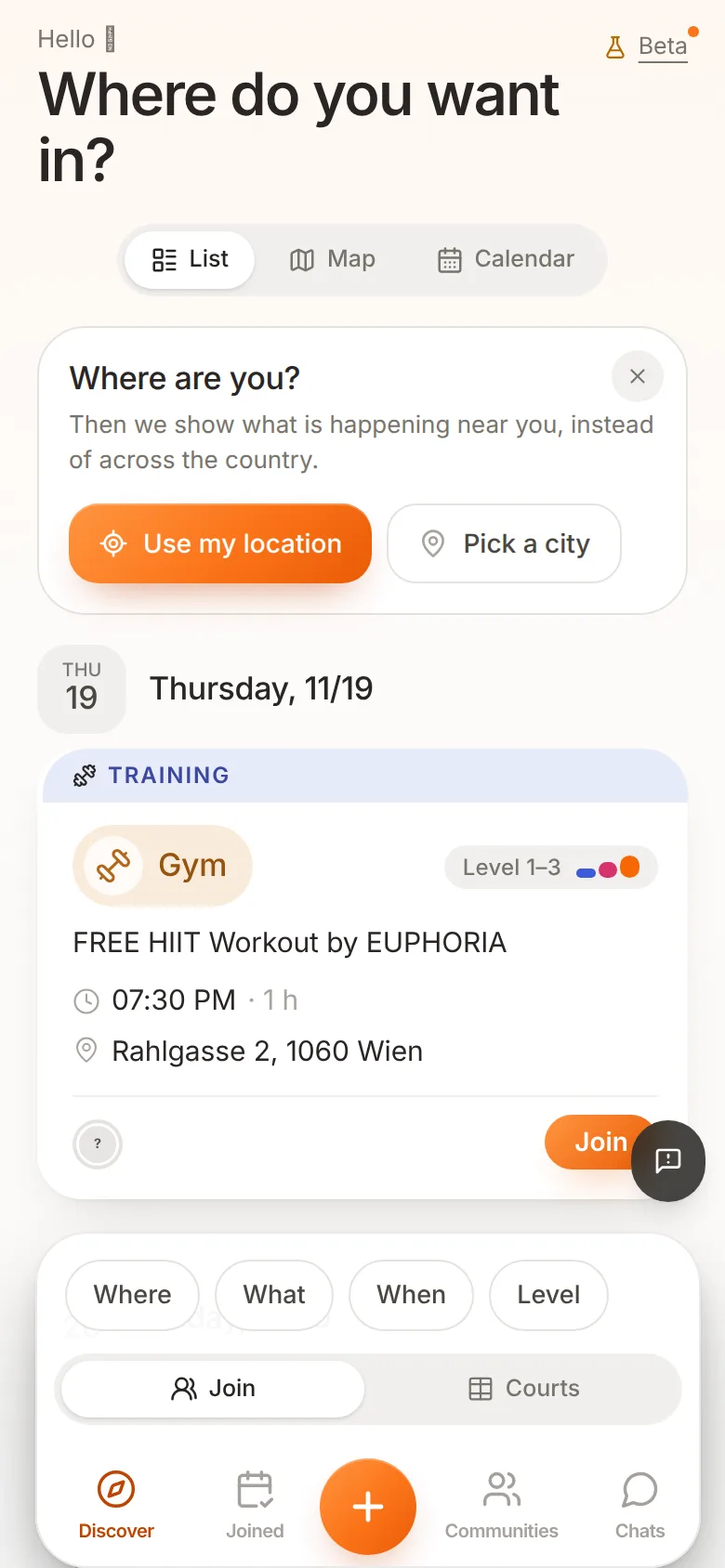 1234
- List, Map, Calendar: switch how the games are shown.
- Join: the button on every card. More on that below.
- Filters: Where, What, When and Level, so you only see what suits you.
- Plus: nothing that fits? Start your own game. See Starting a game.
Prefer to see what's on around the corner?
Open the map ↗A closer look at a game
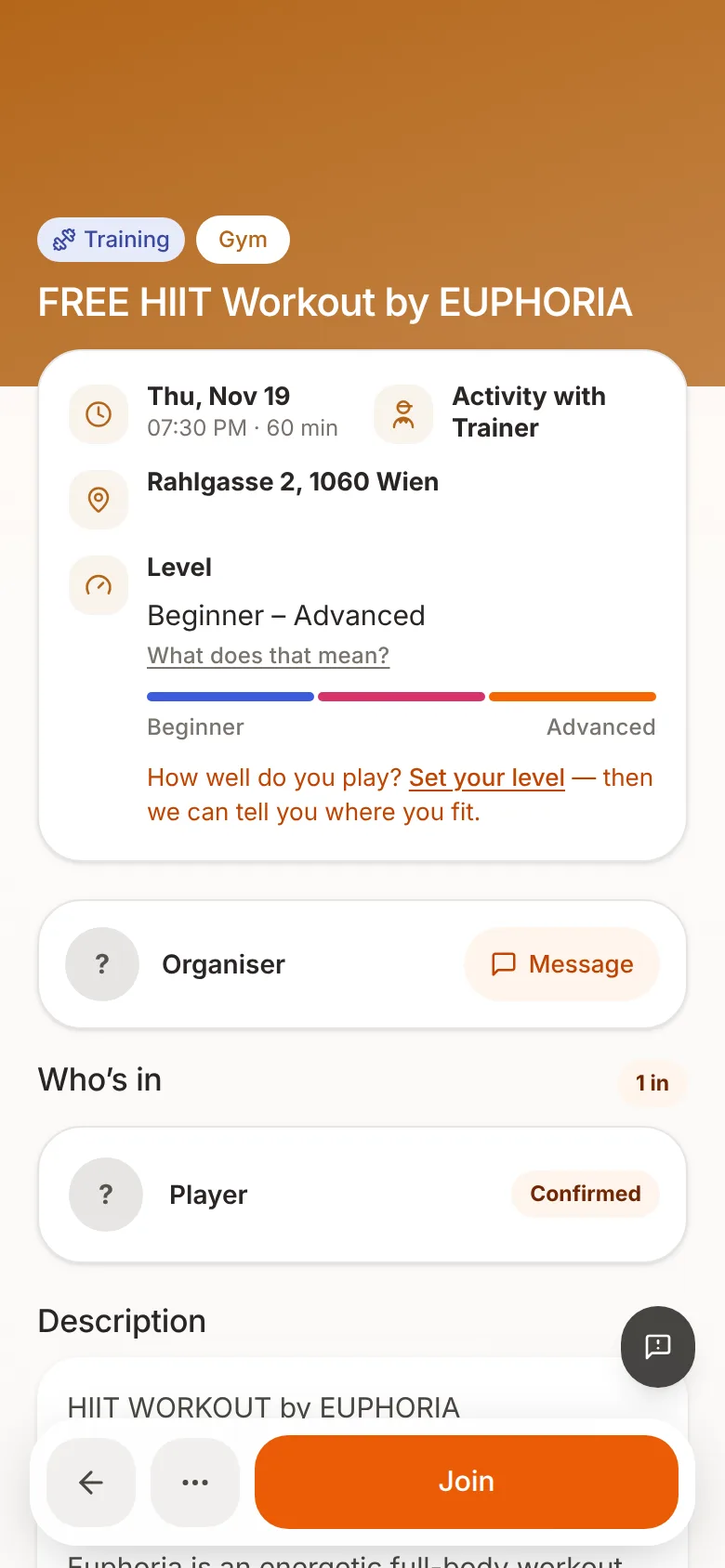
Tap a card to see all the details:
 123456
- When: date, time and how long it lasts.
- Where: the address. For some games you only see it once you're confirmed.
- Level: who the game is meant for. Not sure where you stand? Tap Set your level.
- Message: ask the organizer anything before you join.
- The crew: who's already in.
- The big button: tap it and you're in.
Join, request or waitlist?
What the button says depends on how the game is set up:
| Button | What happens |
|---|---|
| Join | You're in straight away. |
| Request | The organizer decides whether you play. You can add a short note. You'll hear back as soon as they answer. |
| Waitlist | The game is full. If someone drops out, you move up automatically and we let you know. |
You can be on several waitlists at once, but you can't play two games at the same time.
Once you're in
- Your games: everything you've said yes to is under Joined in the bottom bar. Open Joined ↗
- Chat: every game has a group chat. If you reply to an email about a game, your reply goes to the organizer, not to everyone. Open chats ↗
- Calendar: Add to calendar puts the game in your phone's calendar. Open calendar ↗
- Phone number: some organizers want to be able to call you. Then the app asks for your number when you join. Only the organizer can see it.
- Can't make it after all? Tap Drop out in the game. What happens to your money is explained in Paying and dropping out.
Someone saved you a spot
Then you got a link. Open it, sign in and tap Claim your reserved spot. That's it, you're in.
Does the game cost money?
Read on in Paying and dropping out. It also covers what happens if you have to cancel last minute.